Introduction
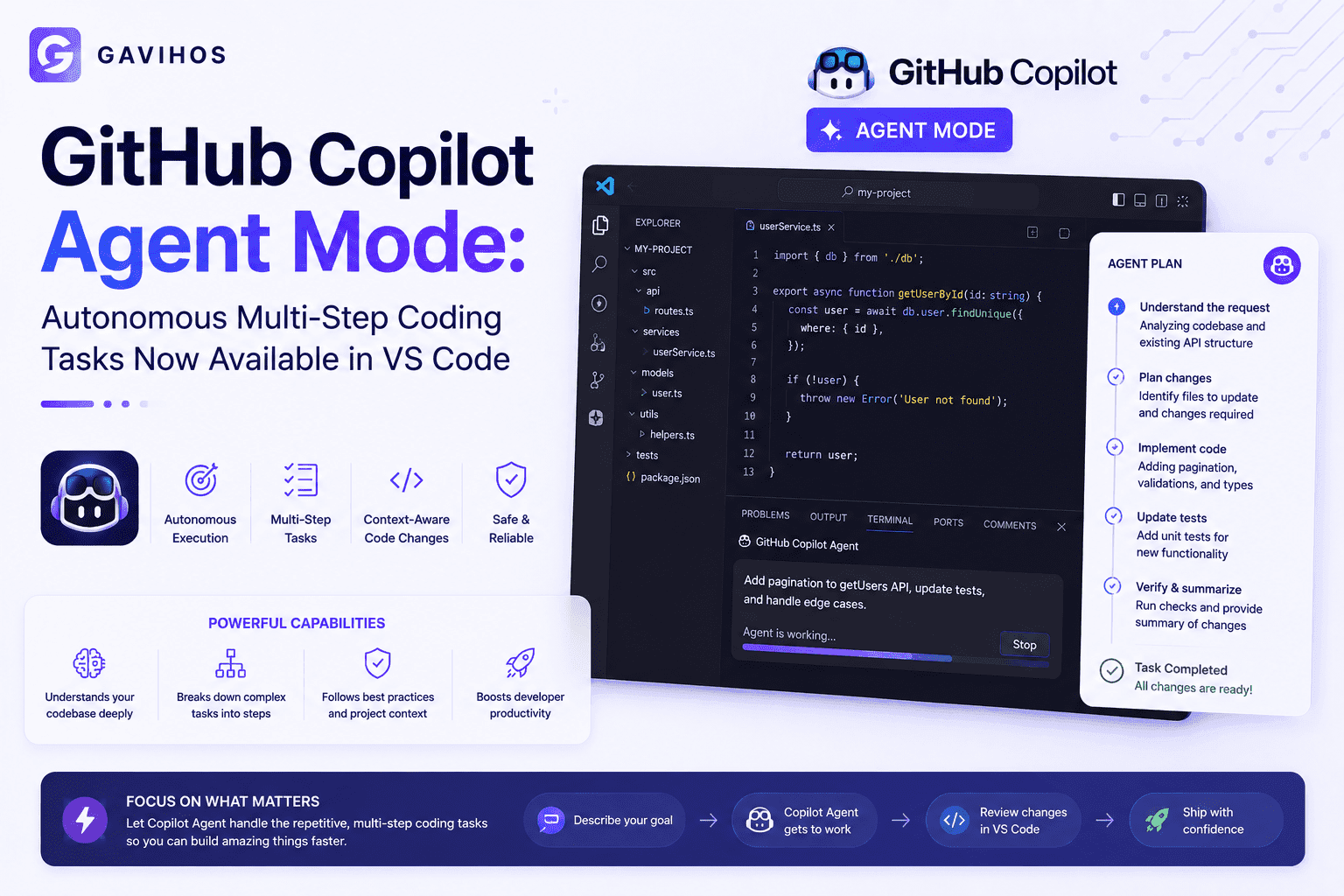
GitHub released Copilot Agent Mode for VS Code on June 25, 2026 — moving GitHub Copilot from a suggestion-based assistant to a system that autonomously plans and executes multi-step coding tasks.
The difference is not incremental. Traditional Copilot suggests code as you type. Agent Mode accepts a natural language task, decides which files to read, what changes to make, which tests to run, and iterates based on results — without requiring a developer to direct each step.
For developers already using Claude Code or Cursor, this is familiar territory. For the 2+ million organizations using GitHub Copilot through enterprise licenses, Agent Mode represents a significant change in how Copilot integrates into their existing VS Code workflows without requiring them to adopt a new tool.
What Happened
GitHub released Copilot Agent Mode as generally available for VS Code on June 25, 2026, following a limited preview period.
Agent Mode adds a task-execution layer to GitHub Copilot’s existing inline suggestion and chat capabilities. A developer assigns a task in natural language — “refactor this module to use dependency injection” or “add unit tests for the auth service with at least 80% coverage” — and the agent executes it.
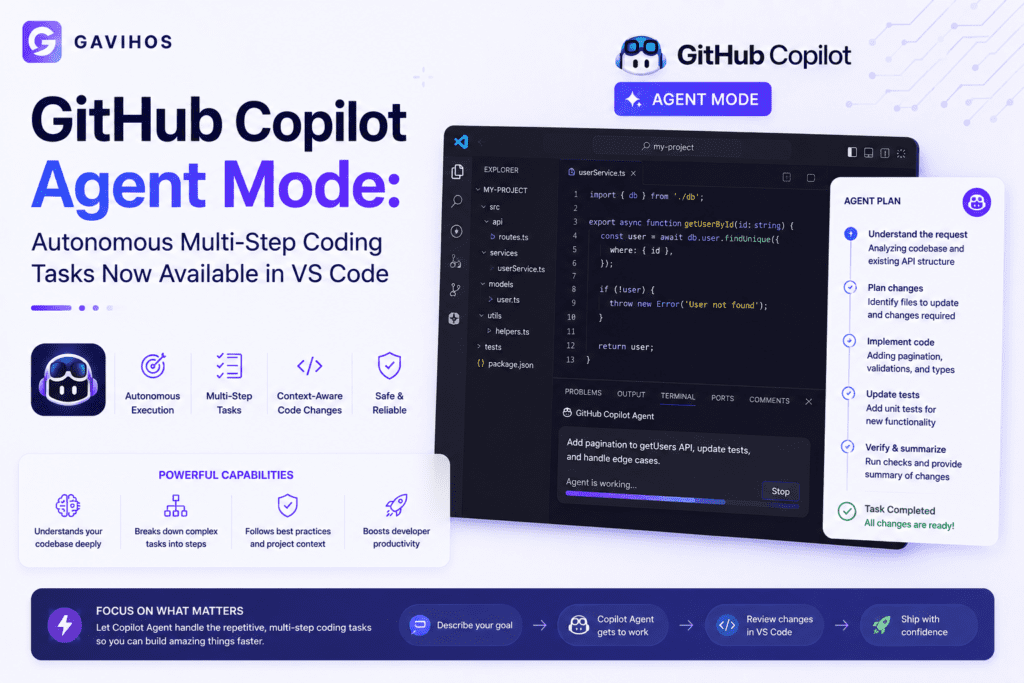
Under the hood, Agent Mode operates as an agentic loop:
- Understand the task. The agent reads the task description and identifies what it needs to know — which files are relevant, what the current implementation looks like, what constraints apply.
- Plan the steps. The agent determines what changes are required and in what order.
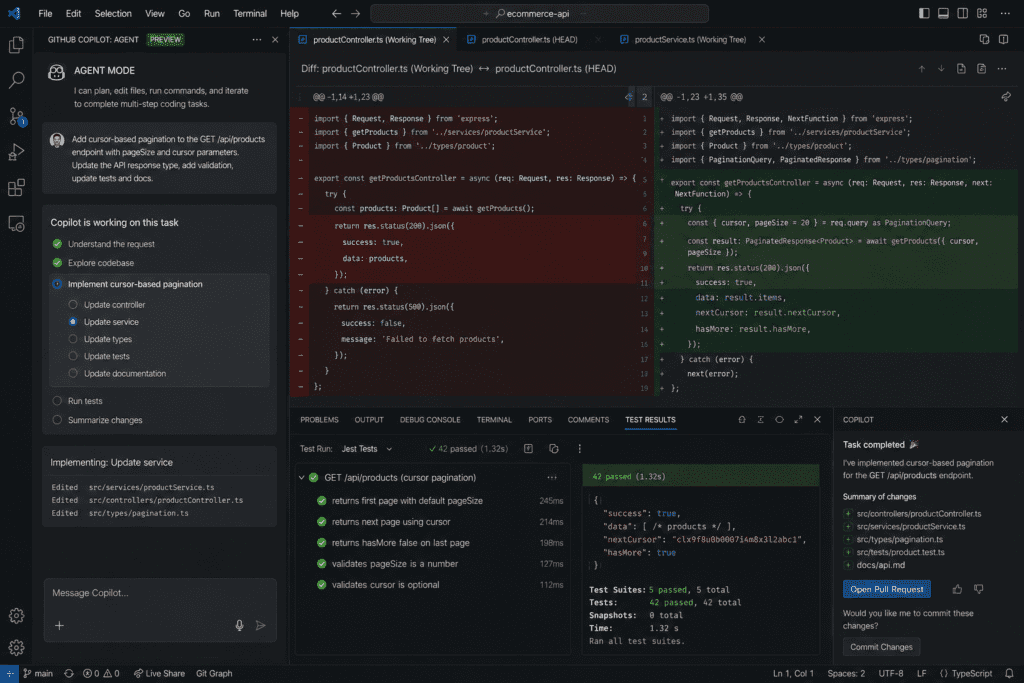
- Execute file edits. The agent reads affected files, generates changes, and proposes edits using VS Code’s existing diff interface.
- Run and observe. The agent runs tests or build commands and reads the output — compile errors, test failures, lint warnings.
- Iterate. If errors remain, the agent reads them, adjusts the code, and reruns until the task succeeds or it determines it cannot proceed.
- Present results. The agent summarizes what it did, what changed, and any remaining issues that need human attention.
The integration runs entirely within VS Code. There is no new terminal, no CLI to install separately, no context switching. Developers who already have GitHub Copilot can access Agent Mode from the Copilot Chat panel.
Why It Matters
The unit of AI coding assistance is changing from a line to a task. Inline suggestion tools complete the line or function you are currently writing. Chat tools answer questions about code. Agent Mode completes tasks — implement this feature, fix this bug, write these tests. This is a different category of tool, not an upgrade to the previous category.
The IDE becomes the agent interface. Claude Code is a terminal tool. Cursor is a fork of VS Code. GitHub Copilot Agent Mode is an extension within the IDE most developers already use. For enterprise teams that have standardized on VS Code and GitHub Copilot through an enterprise license, Agent Mode lowers the barrier to agentic coding substantially — it requires no migration, no new tool adoption, and no change to the existing development environment.
Context is where GitHub has an advantage. Agent Mode is integrated with GitHub’s full developer context — pull request history, issue tracker, code review comments, repository permissions. An agent that can read not just the current file but the PR that introduced a bug, the issue describing the expected behavior, and the review comments requesting changes has richer context than an agent working from the file system alone.
Industry Impact
The agentic coding tool market is now three-sided. Anthropic’s Claude Code targets developers who want a powerful CLI-first agent with deep reasoning capability. Anysphere’s Cursor targets developers willing to adopt a purpose-built IDE for the best agentic coding experience. GitHub Copilot Agent Mode targets the 2+ million organizations already paying for Copilot who want agent capabilities without changing their toolchain.
These three approaches are not competing for the same users — they are targeting different adoption strategies. Claude Code wins on reasoning depth. Cursor wins on IDE-native integration and UX. Copilot Agent Mode wins on distribution. Microsoft already has the enterprise sales relationships; adding Agent Mode is an upsell, not a new sale.
Smaller agentic coding startups face new pressure. When GitHub Copilot Agent Mode is included in an existing enterprise license, the question for procurement teams becomes “why pay for a separate tool?” Startups offering agentic coding features without differentiation on specific capabilities will face pricing pressure.
Open-source model integration creates a strategic opening for competitors. GitHub Copilot Agent Mode runs on GitHub’s model stack — primarily OpenAI models through Azure. Developers who want to run agents on Claude, Gemini, or open-weight models cannot use Copilot Agent Mode with their preferred backend. Claude Code and Cursor both offer model flexibility. As model preference diverges, backend lock-in becomes a competitive consideration.
Developer Impact
For VS Code + GitHub Copilot users: Agent Mode is immediately available in the Copilot Chat panel. No new installation required. The primary change is workflow — instead of using Chat for questions and inline suggestions for line completions, developers can now assign tasks and review the agent’s proposed changes in the diff view.
Practical use cases that work well with Agent Mode:
- Writing test suites for existing code — the agent reads the implementation and generates comprehensive tests
- Refactoring for a specific pattern — dependency injection, error handling standardization, interface extraction
- Bug fixes with diagnostic information — paste a stack trace and ask the agent to find and fix the cause
- Documentation generation — generate JSDoc/docstrings based on actual function behavior
Practical use cases where Agent Mode requires more human oversight:
- Large-scale architectural changes across many files — the agent may not hold full context of all implications
- Tasks requiring external system knowledge — APIs, environment configurations, production data shapes
- Changes in unfamiliar codebases — without adequate context, the agent’s assumptions about intent may be wrong
For teams evaluating Claude Code, Cursor, and Copilot Agent Mode together: the practical consideration is where your team spends most of its time and what problems you are solving. Agent Mode is the lowest-friction entry point if the team is already on VS Code + Copilot. Claude Code is the strongest option for complex reasoning tasks and cross-file architectural work. Cursor remains the best pure-IDE experience if you are willing to adopt a dedicated tool.
Business Impact
Enterprise procurement simplifies for Copilot customers. Organizations with Copilot Business or Copilot Enterprise licenses gain Agent Mode as part of their existing subscription. The budget conversation is straightforward compared to justifying a new tool category purchase.
GitHub reinforces the developer platform as the AI development hub. Copilot started as a code suggestion tool, added chat, added PR summaries, added code review assistance, and has now added agentic task execution. Microsoft is building a comprehensive AI development platform inside GitHub. For enterprises that have standardized on Azure DevOps and GitHub, this creates platform consolidation pressure — all AI coding capabilities in one vendor, all integrated with the same identity and permissions layer.
Model provider dynamics shift. Enterprise adoption of Copilot Agent Mode is enterprise adoption of OpenAI models through Azure at scale. For Anthropic and Google, the competitive question is not only whether Claude or Gemini write better code — it is whether they can reach enterprise developers through tooling that does not require those developers to change their primary workflow.
Future Outlook
Agent Mode capabilities will expand to GitHub’s broader surface area. The most natural extensions: agents that can create pull requests, respond to code review comments, manage GitHub Actions pipelines, and create issues from bug reports. Each of these is a logical next step given that Agent Mode already runs inside the GitHub-integrated VS Code environment.
Multi-agent coordination within GitHub is the longer-term direction. A single agent handling a full feature implementation — from issue triage through implementation, testing, and PR creation — requires coordination between agents with different specializations. GitHub’s platform has the data connections needed for this: issues, PRs, CI results, deployment status, and repository history. Expect GitHub to build orchestration capabilities that connect these into agent workflows.
The benchmark race for agentic coding will intensify. SWE-bench, HumanEval, and similar benchmarks measure single-call code generation. Agentic coding benchmarks — measuring task completion rate, step efficiency, and error recovery — are less mature. Expect more investment in agentic benchmarking infrastructure as the category matures and vendors need credible comparison points.
FAQ
Q: What is GitHub Copilot Agent Mode? Agent Mode is a feature in GitHub Copilot for VS Code that accepts a natural language task and autonomously plans and executes multi-step coding work — reading files, writing changes, running tests, and iterating based on results — without requiring a developer to direct each step.
Q: How is Agent Mode different from Copilot Chat? Copilot Chat answers questions about code and generates code snippets on request. Agent Mode executes tasks — it reads the relevant files in your codebase, makes changes, runs tests, and iterates. Chat is conversational. Agent Mode is task-oriented.
Q: Does Agent Mode require a new VS Code installation or plan? No new installation. Agent Mode is available within existing VS Code with GitHub Copilot. It requires a GitHub Copilot subscription — available through Copilot Individual, Business, or Enterprise plans.
Q: How does GitHub Copilot Agent Mode compare to Claude Code? Claude Code is a terminal-first agent with strong multi-file reasoning capabilities, supporting multiple model backends. Agent Mode runs natively inside VS Code without terminal switching, with tighter GitHub platform integration. The right choice depends on your existing workflow and which problems you are solving.
Q: How does Agent Mode compare to Cursor? Cursor is a fork of VS Code purpose-built for agentic coding with deep IDE-level context and a polished agent experience. Agent Mode is an extension in standard VS Code, meaning lower switching cost for existing VS Code users but without Cursor’s IDE-level architecture optimizations.
Q: Which model does GitHub Copilot Agent Mode use? Agent Mode uses GitHub’s model stack, primarily OpenAI models served through Microsoft Azure. It does not currently support routing tasks to Claude, Gemini, or open-weight models.
Q: Can Agent Mode create pull requests? Not currently in the GA release. Copilot Agent Mode generates code changes within VS Code’s diff interface, which the developer then commits and pushes manually. PR automation is a natural future extension.
Q: Is Agent Mode safe to use on production codebases? The agent proposes changes through VS Code’s diff view before they are applied. Developers review and accept or reject each change. Agent Mode does not modify files autonomously without review. Standard code review processes still apply.
Q: What kinds of tasks does Agent Mode handle best? Well-scoped tasks with clear success criteria: writing tests for existing code, refactoring for a specific pattern, fixing a bug given a stack trace, generating documentation. Open-ended architectural changes across many files are more error-prone.
Q: Does Agent Mode work with all programming languages? It supports the languages GitHub Copilot supports — which covers most major languages including JavaScript, TypeScript, Python, Go, Java, C#, Rust, and others. Quality varies by language based on the underlying training data.
Analyst Perspective
GitHub Copilot Agent Mode is the most consequential product move in the agentic coding space since Claude Code launched — not because it is technically superior, but because of the distribution it inherits.
The practical challenge for any new developer tool is the switching cost. Developers are productive in their existing environment. Asking them to adopt a new terminal workflow (Claude Code) or a new IDE (Cursor) requires them to leave that environment. For individual developers who care about maximal capability, that is a worthwhile tradeoff. For a 50-person engineering team with standardized tooling and an IT security review process, it is a significant friction point.
Agent Mode eliminates that friction for Copilot Enterprise customers. The agent lives where they already work. It uses the credentials they already have. The IT and security team has already approved the tool. That distribution advantage does not show up in any benchmark — but it is the factor that determines which tool most developers actually use.
The second-order effect: Agent Mode’s success accelerates the shift from per-seat completion licenses to outcome-based AI pricing in enterprise software. If agents can complete tasks rather than just assist with them, the value proposition is task completion rate, not suggestions per hour. GitHub will eventually face pressure to price on delivered outcomes rather than seat count. That repricing is further out than most analysts acknowledge — but the architectural foundation for it is being built now.
Key Takeaways
- GitHub Copilot Agent Mode is generally available for VS Code as of June 25, 2026 — it accepts natural language tasks and autonomously plans, edits code, runs tests, and iterates.
- This is a category shift from suggestion-based assistance to task execution. The unit of AI coding work changes from line completion to full task completion.
- Distribution is GitHub’s primary advantage: 2+ million organizations with existing Copilot licenses gain Agent Mode without procurement, new installation, or workflow change.
- Agent Mode uses GitHub’s model stack (OpenAI via Azure) and does not support Claude, Gemini, or open-weight model backends.
- Works best on well-scoped tasks with clear success criteria — test writing, refactoring, bug fixes. Less reliable on large architectural changes across many files.
- The agentic coding market is now three-sided: Claude Code (reasoning depth), Cursor (IDE-native UX), Copilot Agent Mode (enterprise distribution). Each targets a different adoption strategy.
Continue Learning
- What is MCP? Model Context Protocol Explained
- Custom AI Inference Chips: Why Labs Are Building Beyond NVIDIA
About GAVIHOS
GAVIHOS helps developers, founders and technology enthusiasts understand AI, software engineering and emerging technologies through practical guides, tutorials and industry analysis.
Stay Updated
Follow GAVIHOS for practical AI, technology and developer-focused insights.