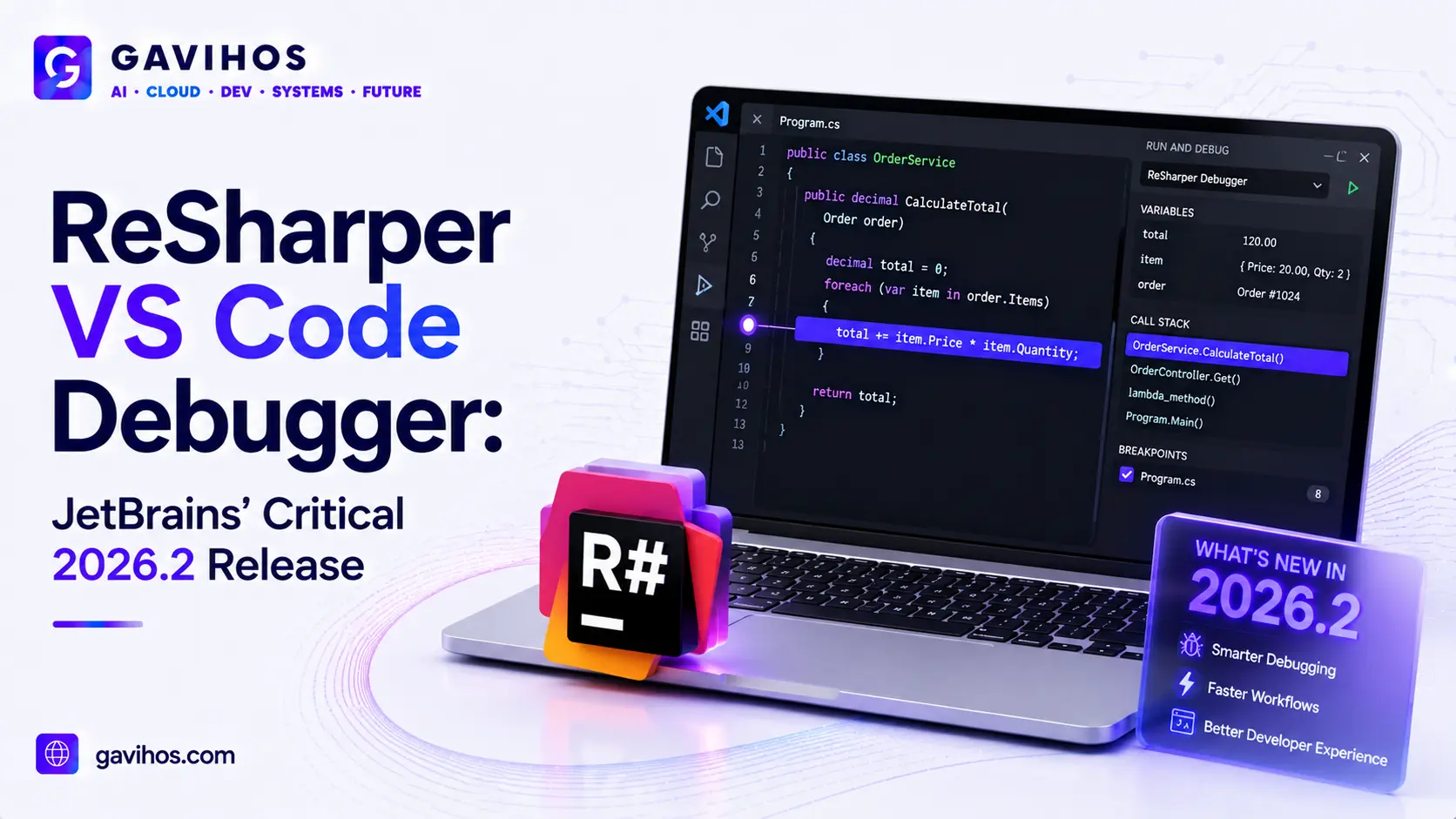
If you’ve moved your .NET work into an AI-native code editor like Cursor over the last year or two, you’ve probably run into the same wall: the editor is great for writing and refactoring code with an AI assistant sitting next to you, but the moment something breaks, you’re stuck reading print statements instead of actually stepping through your code. On July 13, 2026, JetBrains shipped the fix. ReSharper 2026.2 introduces the first real debugger built specifically for VS Code-compatible editors — and critically, that list explicitly includes AI-native tools like Cursor, Antigravity, Devin, and Kiro, not just Microsoft’s own VS Code.
This matters more than a typical point release. For years, ReSharper’s VS Code-compatible line has offered strong code analysis, navigation, and refactoring — but no way to set a breakpoint and actually watch your program run. Developers who wanted real debugging had to switch to Visual Studio or JetBrains Rider entirely, which defeats the purpose of using a lightweight, AI-integrated editor in the first place.
This article covers exactly what JetBrains shipped, why the timing lines up with the broader shift toward AI-native editors, and what it means for .NET developers deciding where to do their day-to-day work. For the underlying concept — what a debugger actually is and how it works regardless of which tool you’re using — see our companion guide, What Is a Debugger?
What Happened
JetBrains published two companion posts on its official .NET Tools blog on July 13, 2026. The first announced ReSharper 2026.2 for VS Code-compatible editors broadly, covering improvements to Call Hierarchy, Type Hierarchy, and Solution Explorer. The second — and more significant — announced a long-requested capability: a full .NET debugger that works inside VS Code and, notably, inside the growing family of VS Code-compatible AI-native editors, including Cursor, Antigravity, Devin, and Kiro.
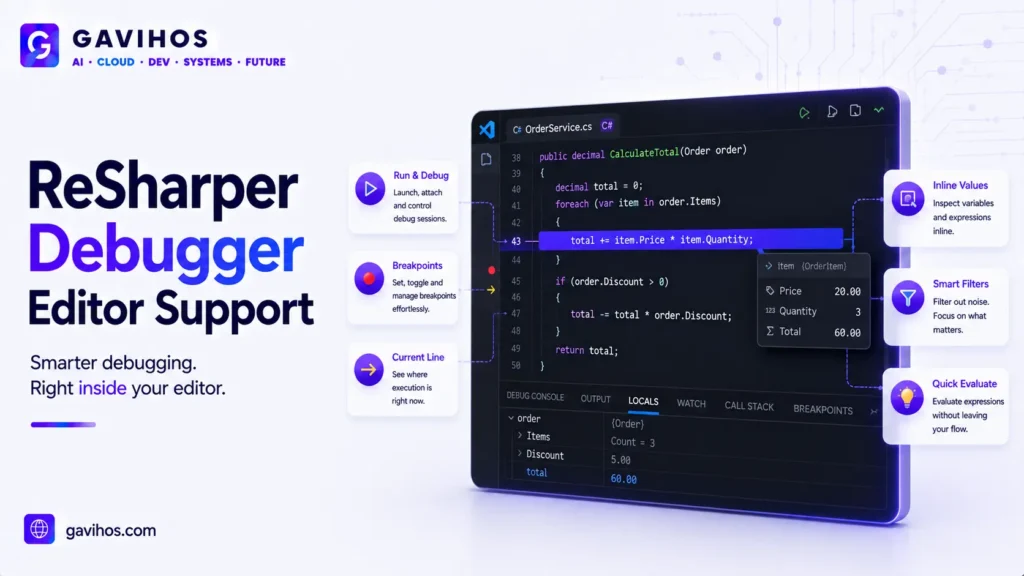
The debugger supports the core capabilities developers expect from a real debugging experience: setting breakpoints, conditional breakpoints, logpoints (breakpoints that log a message instead of pausing execution), and stepping through code line by line while inspecting variable state. Before this release, ReSharper’s VS Code-compatible tooling covered code intelligence — navigation, analysis, refactoring — but stopped short of runtime debugging, leaving that capability exclusive to Visual Studio and JetBrains Rider.
JetBrains framed the release explicitly around the shift toward AI-native coding tools, naming specific editors in the announcement rather than speaking generically about “VS Code compatibility.” That’s a deliberate signal: JetBrains is treating AI-native editors as a distinct, durable category worth building for directly, not a niche variant of VS Code to support as an afterthought.
Why It Matters
This closes a real, specific gap that had been quietly pushing .NET developers back toward heavier tools. A developer who adopted Cursor or a similar AI-native editor for its AI-assisted coding features, but who also needed a proper debugger for .NET work, previously had two unsatisfying options: tolerate the missing debugging experience, or maintain two separate editor setups — one for AI-assisted writing, one for actual debugging. Neither is a good long-term arrangement, and both represent exactly the kind of workflow friction that slows teams down without anyone quite being able to name why.
The broader significance is what this says about how the developer tools industry is organizing itself around AI-native editors as a category. A year or two ago, “VS Code-compatible” mostly meant “works in Microsoft’s editor, and incidentally in forks of it too.” JetBrains explicitly naming Cursor, Antigravity, Devin, and Kiro in its own announcement is a sign that these AI-native tools have grown large and distinct enough in the market that a major tooling vendor is building and marketing features around them by name, not treating them as an edge case.
Industry Impact
AI-native editors have crossed a threshold where major tooling vendors build for them explicitly. JetBrains is one of the most established names in developer tooling, and its willingness to name specific AI-native editors in a product announcement — rather than speaking only in terms of “the VS Code ecosystem” — reflects real confidence that these tools now represent a durable, separately-addressable share of the developer tools market, not a temporary fad.
This puts pressure on other extension and plugin ecosystems to reach functional parity with traditional IDEs. Debugging has historically been one of the clearest lines separating a “full IDE” from a “capable text editor with extensions.” As AI-native editors close that gap feature by feature, the practical argument for staying on a traditional, non-AI-integrated IDE narrows further for many .NET developers.
Expect similar moves from other tooling vendors targeting language ecosystems that still lack full debugging support in AI-native editors. JetBrains’ ReSharper line covers .NET; other language communities (certain niche or emerging-language toolchains) still lack equivalent debugging support in AI-native editors, and this release is a visible example other vendors are likely to follow.
Developer Impact
.NET developers who adopted an AI-native editor primarily for its AI features, but kept a second setup around for debugging, can now consider consolidating. This is a genuine workflow simplification, not just a feature checkbox — fewer context switches between tools generally means fewer interruptions during actual debugging sessions, when focus matters most.
Teams standardizing tooling across a mixed AI-native and traditional-IDE developer base have one less compatibility gap to manage. Previously, a team where some developers used Rider and others used Cursor had a genuine capability gap between the two groups during debugging; this release meaningfully narrows that gap for .NET-specific work.
This is a good moment to revisit which AI-native editor actually fits your workflow, rather than assuming last year’s limitations still apply. Tooling in this space is moving quickly enough that a specific missing capability — like proper .NET debugging — can become outdated information within a single product cycle.
Business Impact
JetBrains is protecting and extending its relevance among developers who have moved away from its own full IDEs. Rather than treating the shift toward AI-native editors as a threat to Rider and Visual Studio usage, JetBrains is meeting developers where they’ve already moved, extending its tooling reach into editors it doesn’t own — a pragmatic response to a market shift it can’t reverse.
This lowers the switching cost for .NET teams considering AI-native editors, which is a competitive dynamic worth watching for AI-native editor vendors themselves. Cursor, Antigravity, Devin, and Kiro all benefit from JetBrains’ investment in supporting them, since it removes a concrete adoption blocker for .NET shops without any of those editor vendors having to build .NET debugging support themselves.
Enterprises with large .NET codebases now have a clearer, lower-friction path to standardizing on AI-native tooling. Debugging support was a legitimate, specific blocker for broader .NET-team adoption of these editors; removing it makes migration decisions easier to justify to engineering leadership who care about workflow continuity, not just new AI capabilities.
Future Outlook
Expect JetBrains to continue expanding ReSharper’s VS Code-compatible feature set toward closer parity with Rider itself, since the debugger was the largest remaining gap and closing it removes the biggest objection to using AI-native editors for serious .NET work.
Expect other language-specific tooling vendors to follow a similar pattern — naming and building explicitly for AI-native editors as a distinct category — as it becomes clearer that these tools represent lasting developer behavior rather than a passing trend.
Expect debugging support to become one of the standard feature-parity benchmarks used to compare AI-native editors against traditional IDEs going forward, alongside code intelligence and AI-assistance quality, as tooling gaps like this one continue closing across different language ecosystems.
FAQ
1. What did JetBrains announce on July 13, 2026? JetBrains announced ReSharper 2026.2 for VS Code-compatible editors, including a companion release of the first full .NET debugger built for that category of editor — explicitly supporting AI-native tools like Cursor, Antigravity, Devin, and Kiro, not just Microsoft’s VS Code.
2. Why is a debugger for VS Code-compatible editors significant? Before this release, ReSharper’s VS Code-compatible tooling offered code analysis and navigation but no runtime debugging — developers who needed to actually step through and inspect running .NET code had to switch to Visual Studio or JetBrains Rider.
3. Which editors does the new debugger support? JetBrains explicitly named VS Code itself along with AI-native, VS Code-compatible editors including Cursor, Antigravity, Devin, and Kiro.
4. What debugging features does it include? Breakpoints, conditional breakpoints, logpoints (which log a message instead of pausing execution), and standard step-through debugging with variable inspection.
5. Do I need Visual Studio or Rider anymore for .NET debugging? Not necessarily for basic debugging workflows now supported directly in VS Code-compatible editors, though Visual Studio and Rider remain more full-featured IDEs overall with capabilities beyond debugging alone.
6. Is this debugger free or does it require a ReSharper license? This article did not independently verify licensing/pricing details beyond what’s stated in JetBrains’ own announcement; check JetBrains’ official pricing page for current licensing terms before assuming free availability.
7. Why does JetBrains care about editors it doesn’t build, like Cursor? Extending tooling support into popular AI-native editors keeps JetBrains relevant to developers who’ve moved away from its own full IDEs, rather than losing that relationship entirely as the market shifts toward AI-native tools.
8. Does this affect developers working in other languages besides .NET? Not directly — this specific release is .NET-focused via ReSharper. It’s a useful signal, though, for what other language tooling vendors may build toward for their own AI-native editor support.
9. What’s the difference between a debugger and the AI coding assistance already built into these editors? An AI coding assistant helps write, explain, or suggest changes to code; a debugger lets you pause a running program and inspect its actual state — the two are complementary, not substitutes for each other. See our companion guide, What Is a Debugger?, for the full explanation.
10. Is this the first time an AI-native editor has gotten proper debugging support for any language? No — some languages and toolchains already have debugging support in these editors. What’s notable here is JetBrains, a major established tooling vendor, explicitly building and marketing this specific capability for the .NET ecosystem across multiple named AI-native editors at once.
Analyst Perspective
The most important thing about this release isn’t the debugger itself — it’s what JetBrains chose to say about it. Naming Cursor, Antigravity, Devin, and Kiro specifically, rather than describing the target simply as “VS Code and compatible editors,” is JetBrains publicly treating AI-native editors as a distinct, addressable market segment worth building for by name. That’s a meaningful signal from a company with decades of experience reading where developer tooling demand is actually heading, not just where the hype is loudest.
The hidden implication worth watching is how quickly “debugging support” becomes table stakes rather than a differentiator across AI-native editors. Right now, closing this gap for .NET is notable because it was a real, specific limitation. Once most language ecosystems have equivalent support, the competitive conversation among AI-native editors will shift entirely toward the quality of their AI assistance and workflow integration, since the traditional IDE-versus-editor feature gap will have mostly closed.
For developers, the practical takeaway is that the case for staying on a traditional IDE purely for debugging reasons is getting weaker, editor by editor, language by language. Teams evaluating tooling standardization should track this gap closing across their specific language ecosystem, since the calculus for consolidating onto an AI-native editor changes materially once debugging parity is reached.
Key Takeaways
- JetBrains shipped ReSharper 2026.2 on July 13, 2026, including the first full .NET debugger built for VS Code-compatible editors — explicitly naming AI-native tools Cursor, Antigravity, Devin, and Kiro alongside VS Code itself.
- Before this release, ReSharper’s VS Code-compatible line offered code analysis and navigation but no runtime debugging, forcing .NET developers who needed real debugging to use Visual Studio or Rider instead.
- The new debugger supports breakpoints, conditional breakpoints, logpoints, and standard step-through debugging with variable inspection.
- This is a signal that major developer tooling vendors now treat AI-native editors as a distinct, durable market category worth naming and building for explicitly, not a temporary variant of VS Code.
- Debugging support is likely to become a standard feature-parity benchmark for comparing AI-native editors against traditional IDEs across other language ecosystems going forward.
- For the underlying concept of how debuggers work regardless of tool, see our companion guide, What Is a Debugger?
Continue Learning
- What Is a Debugger? How Debugging Works Across IDEs and AI-Native Coding Tools
- GitHub Copilot Agent Mode: Autonomous Multi-Step Coding Tasks Now Available in VS Code
- SpaceX Acquires Cursor for $60 Billion: What It Means for AI Coding Tools and Developers
- What Is AI Model Routing? The Complete Guide to Multi-Model AI Systems
- Claude Extended Thinking Mode Is Now Generally Available: What Developers Need to Know
About GAVIHOS
GAVIHOS helps developers, founders and technology enthusiasts understand AI, software engineering and emerging technologies through practical guides, tutorials and industry analysis.
Stay Updated
Follow GAVIHOS for practical AI, technology and developer-focused insights.
External Links
| Source | URL |
|---|---|
| JetBrains .NET Tools Blog — ReSharper 2026.2 for VS Code-Compatible Editors | https://blog.jetbrains.com/dotnet/2026/07/13/rs-vsc-2026-2/ |
| JetBrains .NET Tools Blog — New Debugger for VS Code-Compatible Editors | https://blog.jetbrains.com/dotnet/2026/07/13/rs-vsc-debugging/ |