Introduction
Most AI application tutorials fall into one of two categories: Python notebooks that stop at the demo, or raw fetch calls to an LLM API that stop before streaming works. Neither is where production JavaScript applications live.
The Vercel AI SDK is a TypeScript library that handles the gap between a raw LLM API and a production AI application. It provides a unified interface over multiple model providers, streaming that works out of the box, structured output generation, tool use, and multi-step agent execution — all with React hooks for the UI layer if you need them.
It is not a research framework or an orchestration tool. It is an application development library. The design goal is that you should be able to ship an AI feature in a Next.js, Svelte, or Express application in hours, not days — and have that feature be production-ready, not a prototype.
This guide explains what the Vercel AI SDK is, how it works, when to use it, and what the real tradeoffs look like compared to alternatives.
What Is the Vercel AI SDK?
The Vercel AI SDK is an open-source TypeScript library for building AI-powered applications. It was created by Vercel and is available under an Apache 2.0 license. It is not exclusive to the Vercel platform — it runs on Node.js, Deno, Bun, Cloudflare Workers, Vercel Edge Functions, and any other JavaScript runtime.
The library solves a specific problem: the major LLM providers (Anthropic, OpenAI, Google, Mistral, Cohere, and others) each have their own API format, streaming protocol, and tool definition syntax. Building an application that works with multiple providers, or switching providers without rewriting your application, requires either maintaining provider-specific code or building your own abstraction layer. The Vercel AI SDK is that abstraction layer, built and maintained by a team with significant production deployment experience.
The SDK is organized into two main packages:
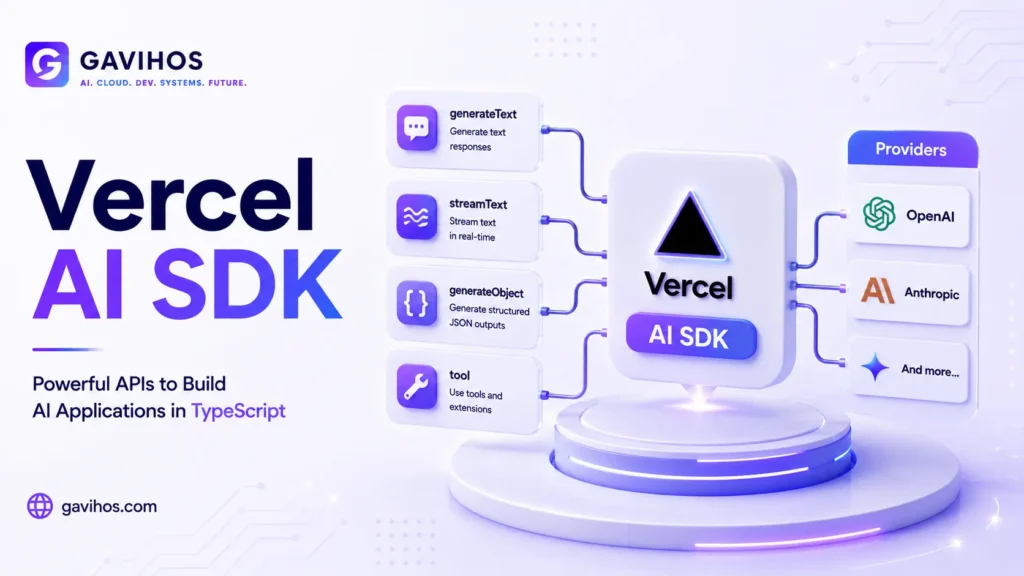
ai — The core package. Contains the provider-agnostic functions (generateText, streamText, generateObject, streamObject), the multi-step agent execution model (generateText with maxSteps), tool definition utilities, and the React/Svelte/Vue hooks for UI integration.
Provider packages — Adapters for each model provider: @ai-sdk/openai, @ai-sdk/anthropic, @ai-sdk/google, @ai-sdk/mistral, @ai-sdk/cohere, and others. Each adapter implements the provider’s API format and streaming protocol, exposing a consistent interface to the core package.
Why Now?
The Vercel AI SDK’s design priorities have evolved alongside how AI applications are actually built in production.
When it was first released (as ai on npm), the primary problem was streaming. LLM responses take time to generate, and waiting for the full response before displaying anything produces a frustrating user experience. The SDK’s first major contribution was a streaming API that worked correctly across Vercel Edge Functions, Next.js API routes, and standard Node.js servers — something that was genuinely difficult to get right with raw fetch calls.
The second evolution was tool use and structured output. As applications moved from “chat with an LLM” to “use an LLM to do something” — looking up data, taking actions, generating structured data — the SDK added the primitives for this: typed tool definitions, structured output via generateObject, and multi-step execution that could call tools and then continue generating.
The third evolution, and the most significant for 2026, is agentic support. At Vercel Ship 2026, Vercel confirmed that more than 50% of deployments on its platform are now triggered by coding agents. The SDK has been updated to support the patterns agentic applications require: the serviceTier property for routing model calls by capability tier, improved interrupt and human-in-the-loop patterns, and integration with the broader Agent Stack (AI Gateway, Vercel Sandbox, Workflow SDK).
The SDK is now the core of Vercel’s agent deployment infrastructure — not just a convenience library but the primary API surface for JavaScript agent applications.
How the Vercel AI SDK Works
Provider Model
The SDK separates the model from the application logic. A provider adapter takes model-provider-specific credentials and returns a model object that implements a standard interface. You pass this model object to any SDK function.
import { anthropic } from '@ai-sdk/anthropic';
import { openai } from '@ai-sdk/openai';
import { generateText } from 'ai';

// Same function, different provider — behavior is identical
const result = await generateText({
  model: anthropic('claude-sonnet-4-6'),
  prompt: 'Explain vector databases in two sentences.',
});

const result2 = await generateText({
  model: openai('gpt-4o'),
  prompt: 'Explain vector databases in two sentences.',
});
Switching providers requires changing one line. The rest of your application code stays the same.
Core Functions
generateText — Generates a complete text response. Use for batch processing, background tasks, or any context where you want the full response before doing something with it.
streamText — Generates a text response and streams it token by token. Use for user-facing interfaces where you want text to appear as it is generated. Works correctly in Next.js Server Actions, API routes, and Edge Functions.
generateObject — Generates a response that conforms to a schema you specify (using Zod). The SDK handles prompting the model to produce valid structured output and retries on validation failure. Use when you need parseable data, not prose.
streamObject — Like generateObject, but streams partial objects as they are generated. Useful for UI patterns where you want to show a form filling in progressively rather than all at once.
Tool Use
Tools are typed functions that the model can call during generation. You define the tool’s name, description, parameters (as a Zod schema), and execute function. The SDK handles the prompt formatting, model response parsing, and execution cycle automatically.
import { generateText, tool } from 'ai';
import { anthropic } from '@ai-sdk/anthropic';
import { z } from 'zod';

const result = await generateText({
  model: anthropic('claude-sonnet-4-6'),
  tools: {
    getWeather: tool({
      description: 'Get the current weather for a location.',
      parameters: z.object({
        location: z.string().describe('City and country, e.g. "London, UK"'),
      }),
      execute: async ({ location }) => {
        // Call your weather API here
        return { temperature: 18, condition: 'cloudy' };
      },
    }),
  },
  prompt: 'What is the weather in Tokyo right now?',
  maxSteps: 3,
});
The maxSteps parameter controls how many tool call + response cycles the model can execute before the function returns. Without it, the model makes one round of tool calls and stops. With it, the model can call tools, process their results, and continue generating — enabling multi-step agent behavior.
serviceTier Property (June 2026)
The serviceTier property on model calls lets you specify which capability tier of a provider’s model family to use: 'auto' (provider default), 'default' (standard tier), or 'flex' (edge/serverless optimized). This connects the SDK to the model routing patterns that three-tier model families (Sol/Terra/Luna, Opus/Sonnet/Haiku) have made necessary.
const result = await generateText({
  model: openai('gpt-4o'),
  prompt: '...',
  experimental_providerMetadata: {
    openai: { serviceTier: 'flex' },
  },
});
This is the SDK-level primitive for the routing decisions that production AI applications now need to make — choose the right capability tier for each step in a workflow.
React Hooks
For client-side UI, the SDK provides hooks that manage message state, streaming, loading, and error handling:
useChat — Manages a conversation with automatic message streaming and state management. Used for chat interfaces.
useCompletion — Manages a single streaming completion. Used for forms, editors, or any context where you want a single AI response to stream into the UI.
These hooks handle the parts of streaming UI that are genuinely tricky to get right — partial updates, race conditions between fast typing and slow generation, error recovery — so you do not have to build them yourself.
Architecture Components
| Component | What It Does | When to Use |
|---|---|---|
generateText | Generates complete text response | Batch processing, background tasks |
streamText | Streams text response token by token | User-facing chat, live text generation |
generateObject | Generates typed, schema-validated structured output | Parsing, data extraction, form filling |
streamObject | Streams structured output progressively | Progressive UI updates |
tool() | Defines a typed callable tool | Giving the model access to external data or actions |
useChat | React hook for conversational UI | Chat interfaces |
useCompletion | React hook for single completions | AI-assisted forms, editors |
| Provider adapters | Translate between provider APIs | Switching or combining providers |
serviceTier | Routes model calls to capability tier | Cost optimization, agentic workflows |
Real-World Use Cases
1. AI Chat Interface in Next.js
The most common use case. useChat on the client, streamText in a Server Action or API route. The SDK handles the streaming protocol, partial message display, and error states. A working chat interface takes less than 50 lines.
2. Document Processing Pipeline
A background job that processes uploaded documents: extract key information with generateObject, validate the output against your schema, store structured results. The schema validation and retry logic in generateObject handles the cases where the model produces imperfect output — saving you from writing that error handling yourself.
3. AI-Assisted Forms
A user fills in a form; the AI auto-completes or suggests values as they type, using streamObject to fill in related fields. The structured output ensures the AI generates valid form data rather than prose that you then have to parse.
4. Multi-Step Research Agent
An agent that receives a question, decides which tools to call (search, database lookup, calculator), processes the results, and generates a final answer. Implemented with generateText + maxSteps + tool definitions. The SDK manages the tool call loop; you provide the tools and the model.
5. Code Generation and Review
A CI pipeline integration that uses generateText to review pull requests or generate boilerplate. Works in any Node.js environment — Vercel deployment is not required. Tool calls can execute linters or test runners and feed results back to the model.
Benefits
Unified provider interface. Write your application once; switch providers by changing a model name. This matters when provider pricing, capability, or reliability changes — and they all change regularly.
Streaming that actually works. The SDK’s streaming implementation handles the edge cases that raw fetch-based streaming misses: correct behavior in different runtime environments, partial object streaming, error propagation during streams.
Structured output with validation. generateObject with a Zod schema produces typed, validated output with automatic retry on validation failure. This eliminates one of the most common production failure modes in AI applications.
Production-ready defaults. Retry logic, timeout handling, and error propagation are built in. You get sensible defaults without having to implement them.
First-class React integration. The useChat and useCompletion hooks handle the UI state management that is tedious to build correctly — streaming partial messages, managing loading states, handling errors without breaking the conversation.
Limitations
TypeScript and JavaScript only. If your application is Python, Go, or any other language, the Vercel AI SDK is not for you. LangChain or direct provider SDKs are the alternatives.
Not a full orchestration framework. The SDK provides the primitives for multi-step agent execution, but it does not give you LangGraph-style graph execution, branching logic, or built-in checkpointing. For complex stateful agent workflows, you need LangGraph or a similar orchestration tool — potentially using the AI SDK for the LLM calls within that framework.
Provider feature parity varies. Not every provider supports every feature (structured output, tool use, image input) with the same reliability. The SDK abstracts the API, but it cannot abstract genuine capability differences between providers.
Vercel ecosystem defaults. The SDK is designed with Vercel’s deployment platform in mind — Edge Functions, Vercel KV, Vercel Blob. It runs outside Vercel, but some integration patterns assume a Vercel deployment context.
Engineering Tradeoffs
What improves: Provider portability, streaming reliability, time to working prototype, code consistency across an AI-heavy codebase.
What becomes harder: Accessing provider-specific features that the SDK abstraction does not expose. If you need a capability that the SDK’s unified interface does not cover, you may need to drop down to the provider’s native SDK.
New complexity introduced: The provider adapter layer adds one more abstraction between your code and the model. When debugging unexpected model behavior, you need to understand whether the issue is in your code, the SDK’s adapter, or the provider’s API.
Operational costs: The SDK does not add meaningful runtime overhead. The cost profile of your AI application is dominated by model API costs and latency, not SDK overhead.
When not to use it: If you are building a Python service, use LangChain or direct provider SDKs. If you need sophisticated graph-based agent orchestration with checkpointing, start with LangGraph and use the AI SDK only for the LLM call layer. If you need features that require direct access to a provider’s proprietary API (non-standard parameters, beta features), the SDK abstraction may get in your way.
Best Practices
Use generateObject instead of parsing text output. Asking the model to produce JSON and then parsing it with JSON.parse fails on malformed output. generateObject with a Zod schema retries on validation failure and gives you a typed result.
Set maxSteps explicitly. Without it, multi-step agent behavior is disabled. Set it to the minimum value that allows your workflow to complete — this prevents runaway tool call loops.
Handle streaming errors in the UI. useChat and useCompletion expose an error state. Always render an error state; streaming errors are not exceptional — they happen in production.
Use provider adapters, not hardcoded API calls. Even if you plan to use only one provider, the adapter pattern makes future switching possible without rewriting application code.
Version your model names. openai('gpt-4o') will behave differently if OpenAI updates the model silently. Where behavior stability matters, pin to a specific versioned model identifier.
Common Mistakes
Using generateText where streamText is needed. For user-facing interfaces, always stream. A 3-second wait before anything appears is a worse experience than text appearing word by word, even if the total time is the same.
Not validating tool input. Tool parameter schemas are validated by the model — the model reads the Zod schema description and generates matching input. But the execute function should still validate its inputs before calling external APIs, because the model is not infallible.
Ignoring maxSteps in agent workflows. An agent with maxSteps: 1 will make tool calls but not act on the results. Set it high enough for your workflow; monitor for runaway loops in production.
Mixing provider-specific and SDK-standard patterns. Choose one pattern and be consistent. Mixing direct API calls with SDK calls in the same codebase creates inconsistency in error handling and streaming behavior.
What Most People Get Wrong
“The Vercel AI SDK requires Vercel to deploy.” No. It is an npm package that runs in any JavaScript runtime — Node.js, Deno, Bun, Cloudflare Workers. Vercel deployment is optional.
“It is only for chat applications.” The SDK’s most visible use cases are chat interfaces, but generateObject, background pipelines, and tool-based agents cover a much wider range of application patterns.
“It replaces LangChain.” The SDK and LangChain have different design goals. LangChain is a composable pipeline framework with a large ecosystem. The Vercel AI SDK is a production application library optimized for TypeScript and real-time streaming. Many production systems use both — LangChain or LangGraph for orchestration, the AI SDK for LLM calls within that orchestration.
“Structured output means the model always produces valid JSON.” generateObject improves reliability significantly, but models still occasionally produce invalid output. The SDK retries, but there is a retry limit. Build application logic that handles the case where even retried output fails validation.
Future Outlook
The Vercel AI SDK is positioned at the intersection of three growing trends: agent-triggered deployments (now 50%+ of Vercel’s platform), TypeScript’s dominance in web development, and the shift from single LLM calls to multi-step agent workflows.
The SDK’s trajectory — adding serviceTier, deepening integration with Vercel Sandbox and Workflow SDK, and becoming the official API surface of the Agent Stack — suggests it is becoming infrastructure, not a library. The difference matters: infrastructure is not something you replace; it is something you build on.
The most significant near-term development is Vercel Services (starting beta July 1). Vercel Services allows microservices to communicate privately within a Vercel project — enabling agent workflows where different steps run in different services without public network exposure. The AI SDK will be the LLM interface layer in those architectures.
For JavaScript developers building AI applications, the practical implication is: learning the Vercel AI SDK is not optional if you are serious about shipping production AI features in TypeScript. The ecosystem around it — Next.js, Vercel deployment, the Agent Stack — is converging into a coherent agent application platform.
FAQ
1. What is the Vercel AI SDK? The Vercel AI SDK is an open-source TypeScript library for building AI-powered applications. It provides a unified interface over multiple LLM providers (Anthropic, OpenAI, Google, Mistral, and others), first-class streaming support, structured output generation, tool use, and React hooks for UI integration.
2. Does the Vercel AI SDK require deploying to Vercel? No. It runs on any JavaScript runtime — Node.js, Deno, Bun, Cloudflare Workers, and others. Vercel deployment is optional.
3. What is the difference between generateText and streamText? generateText waits for the complete response before returning. streamText streams the response token by token as it is generated. Use streamText for user-facing interfaces; use generateText for batch processing and background tasks.
4. What is generateObject and when should I use it? generateObject generates a response that conforms to a Zod schema you define. It retries on validation failure and returns a typed, validated object. Use it whenever you need structured data from a model rather than prose output.
5. How does tool use work in the Vercel AI SDK? You define tools using the tool() helper — specifying a name, description, parameter schema (Zod), and an execute function. When the model decides to call a tool, the SDK parses the model’s response, calls your execute function, and feeds the result back to the model. With maxSteps > 1, this cycle can repeat multiple times.
6. What is the serviceTier property? serviceTier is a provider metadata property that specifies which capability tier of a provider’s model family to use. It enables routing model calls — for example, using a faster, cheaper tier for simple tasks and a more capable tier for complex reasoning — without changing the rest of your code.
7. How does the Vercel AI SDK compare to LangChain? The SDK is TypeScript-first, designed for production application development, and optimized for streaming UI. LangChain is a pipeline composition framework with a large Python-first ecosystem. They solve different problems and are often used together.
8. Does the Vercel AI SDK work with Anthropic’s Claude? Yes. Install @ai-sdk/anthropic and pass anthropic('claude-sonnet-4-6') (or any other Claude model) as the model parameter to any SDK function.
9. What React hooks does the SDK provide? The main hooks are useChat (for multi-turn conversational interfaces) and useCompletion (for single-prompt completion interfaces). Both handle streaming, message state, loading states, and error handling automatically.
10. Is the Vercel AI SDK production-ready? Yes. It is the library Vercel uses internally for v0 and its own agent fleet. It has built-in retry logic, error propagation, and streaming reliability. It is used in production by a significant number of teams building AI-powered applications.
Analyst Perspective
The Vercel AI SDK is making a specific bet: that the right level of abstraction for most production AI application development is higher than the raw API but lower than a full orchestration framework.
This is a bet worth examining carefully, because it has been wrong before. The history of “unified API for multiple providers” in software is not uniformly positive — the abstractions tend to trail the most important features, and teams end up working around them for anything non-trivial.
The Vercel AI SDK has avoided that failure mode so far for two reasons. First, it is genuinely opinionated: it does not try to expose every provider feature, only the subset that generalizes. Second, Vercel has production skin in the game — v0 and Vercel’s own agent infrastructure run on the SDK, which creates a forcing function to keep the abstractions current.
The serviceTier addition is a good example of this. Three-tier model families are not a minor provider feature — they are a fundamental change to how developers think about model cost and capability. The SDK added a first-class primitive for this rather than leaving teams to implement it themselves. That is the right call.
What to watch: as Vercel Services (microservices, beta July 1) matures, the question becomes whether the SDK becomes the standard LLM API layer for JavaScript agent services — the way fetch is the standard HTTP layer. If Vercel Services + AI SDK achieves that level of ubiquity in the JavaScript ecosystem, it becomes an infrastructure decision point rather than a library choice.
For Python developers: the JavaScript ecosystem’s AI development story is now coherent in a way it was not two years ago. If your team is full-stack and has JavaScript developers who want to ship AI features independently, the Vercel AI SDK is the tool that makes that possible without requiring Python expertise.
Key Takeaways
- The Vercel AI SDK is an open-source TypeScript library providing a unified interface over multiple LLM providers, production-grade streaming, structured output, and tool use
- It does not require Vercel deployment — it runs on any JavaScript runtime
- Core functions:
generateText(complete response),streamText(streaming),generateObject(typed structured output),streamObject(streaming structured output) - Tool use with
maxSteps > 1enables multi-step agent behavior within the SDK serviceTierallows routing model calls to different capability tiers — the SDK primitive for three-tier model routing- Not a replacement for LangGraph: use the SDK for LLM calls; use LangGraph or similar for complex stateful agent orchestration
- Vercel Services (beta July 1) will enable private microservice communication within Vercel projects — the SDK becomes the LLM layer in those agent architectures
Continue Learning
- LangGraph Explained: Complete Guide to Multi-Agent Orchestration
- What Are AI Agents? Architecture, Memory, Tools and Real-World Use Cases
- What is Agentic AI? How Autonomous AI Systems Think and Act
- What is MCP? Complete Guide to Model Context Protocol
- Prompt Engineering Complete Guide: From Basics to Advanced Techniques
About GAVIHOS
GAVIHOS helps developers, founders and technology enthusiasts understand AI, software engineering and emerging technologies through practical guides, tutorials and industry analysis.
Stay Updated
Follow GAVIHOS for practical AI, technology and developer-focused insights.
External Links
| Source | URL |
|---|---|
| Vercel AI SDK Official Documentation | https://sdk.vercel.ai/docs |
| Vercel AI SDK GitHub | https://github.com/vercel/ai |
| Vercel Ship 2026 Recap | https://vercel.com/blog/vercel-ship-2026-recap |